



DIGITAL BANKING UPGRADE
A new look is coming. Let’s get you ready.
Your upgraded Gather Digital Banking experience is coming soon. Before upgrade day, take a moment to find your member number so you have it ready for your first login.
How to find your member numberLook for a new app icon
When you first access Digital Banking after the upgrade, you’ll notice a new app icon.

Find your member number before upgrade day
Follow these steps in your current Digital Banking app. The process is the same for Apple and Android devices, although your screen may look slightly different.
Open your profile
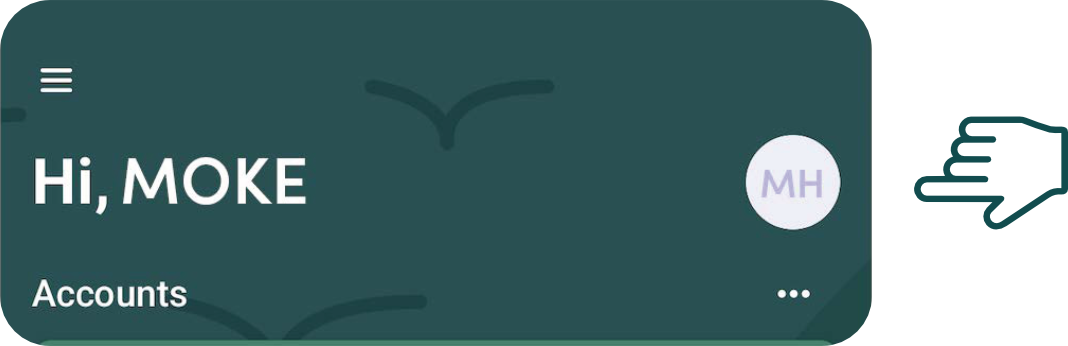
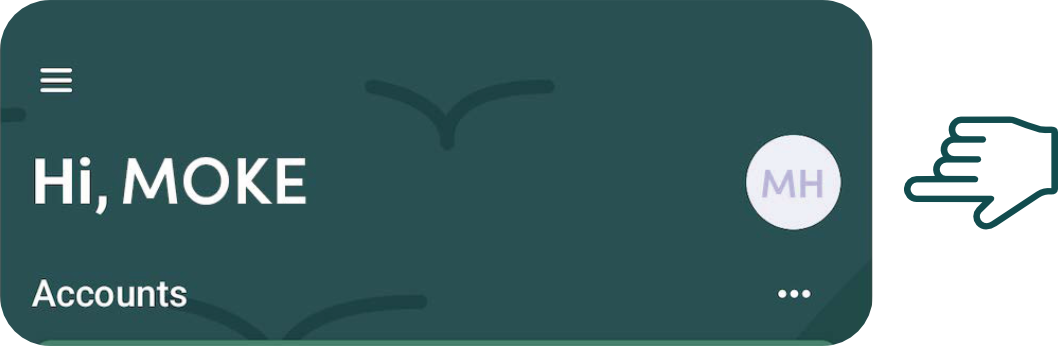
From your current Digital Banking home page, select your profile icon in the top-right corner.
Apple devices
Android devices
View your member number
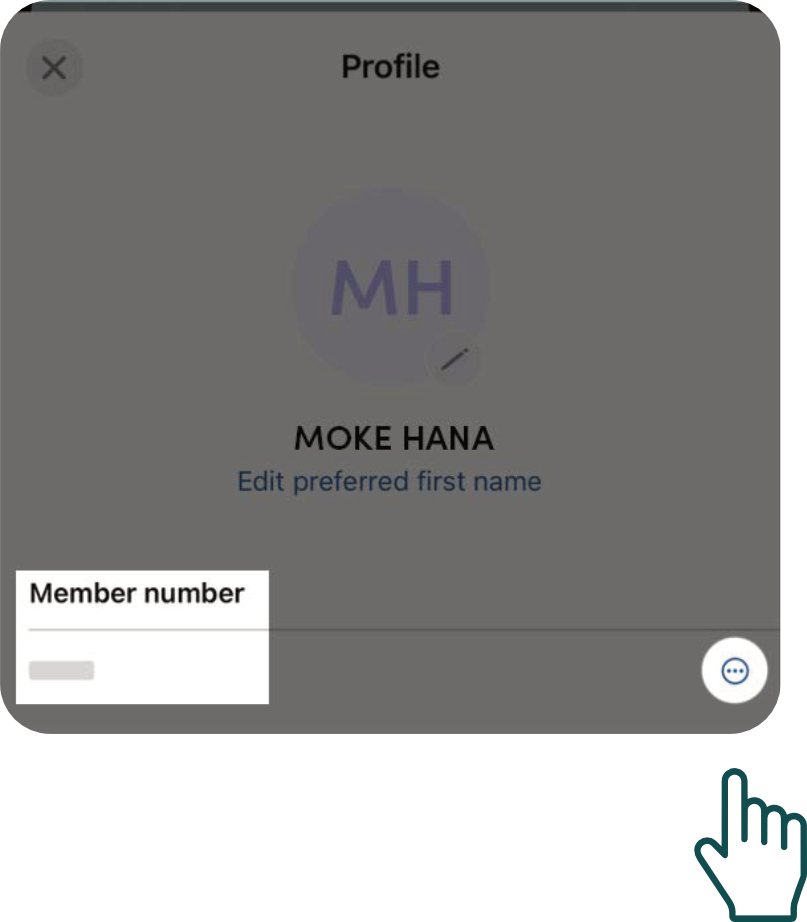
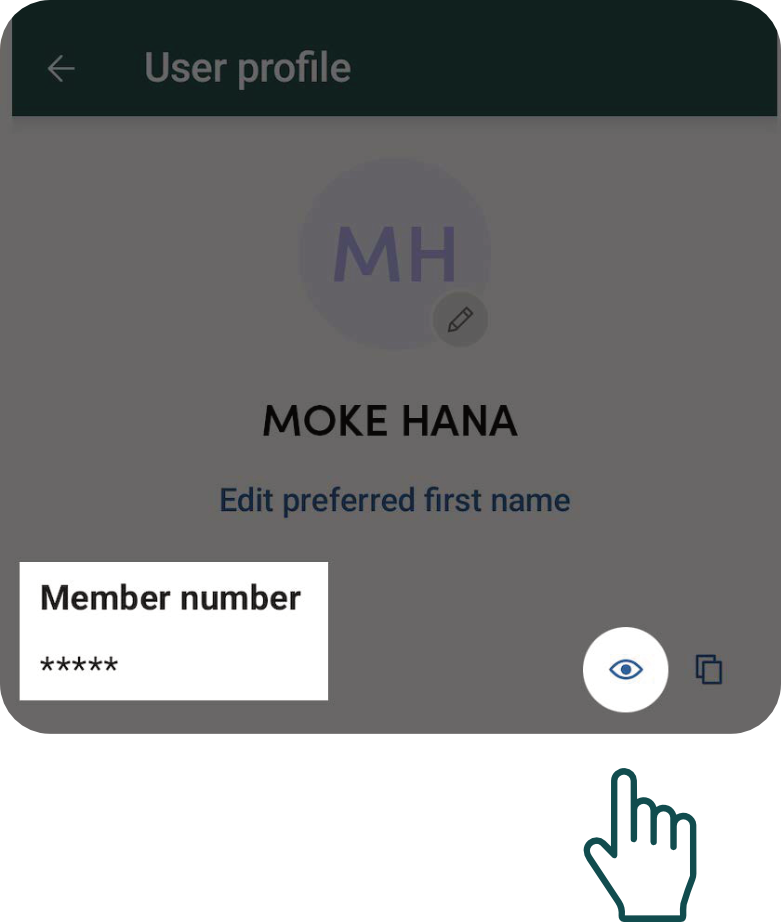
Find your member number at the top of your Profile. If it’s hidden, tap the eye icon or the three dots on the right side of the screen to view it.
Apple devices
Android devices
Keep it somewhere secure
Save your member number in a secure location so it’s available when you complete your first login after the upgrade.
Need a hand? We’re here to help.
If you need help finding your member number or preparing for the upgrade, contact Gather FCU. We’re here to help make your transition as smooth as possible.
Call 808.245.6791